Before CutVault
- Open vague files one by one
- Search each drive and folder separately
- Reconstruct materials and settings from memory
- Duplicate files just to organize them twice
CutVault for laser engravers
Build a visual, searchable history of LightBurn, xTool, SVG, DXF, ZIP, and image projects while your original files remain in the locations you control.
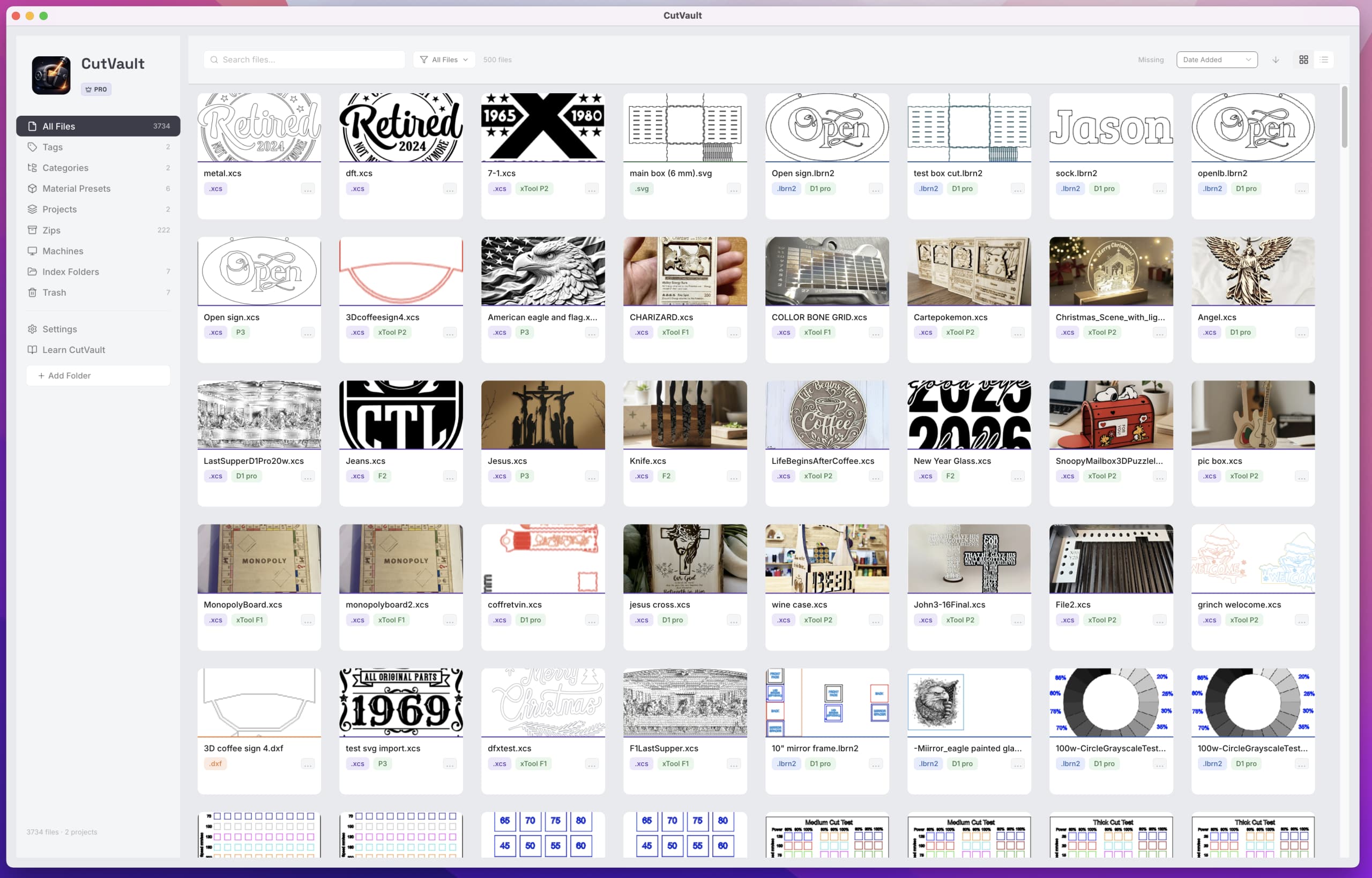
The workshop reality
Scattered files create scattered production knowledge.
A design may start in Downloads, move to a customer folder, collect an edited copy on an external drive, and end with settings written somewhere else. Months later, the finished project is familiar but the useful file is not.
CutVault adds a discovery and context layer across the storage you already use. It helps you recognize projects, search what you remember, and return to the source file without requiring a folder migration.
Before and after
The folder structure can stay. The way you retrieve work gets better.
Built for repeatable making
CutVault turns a directory of assets into a working reference library.
Recognize supported LightBurn, xTool, SVG, DXF, ZIP, and image projects without opening every file.
Search indexed projects on local drives, external drives, and locally synchronized storage.
Keep available materials, machines, power, speed, passes, DPI, tags, presets, and notes with the project.
Add a searchable layer without forcing a new naming system or relocating your source files.
Surface supported project content stored inside ZIP archives so older collections are easier to identify.
Find the right project in CutVault, then continue in the design or production software you already use.
A simple workflow
No new naming convention. No upload workflow.
Add the folders and attached drives containing the maker files you want available in CutVault.
CutVault indexes supported files and creates searchable previews and available project information.
Search what you remember, check the project context, and open the original file in your normal workflow.
See the whole project
A single library view brings previews, formats, tags, materials, machines, settings, and notes into the same retrieval workflow.
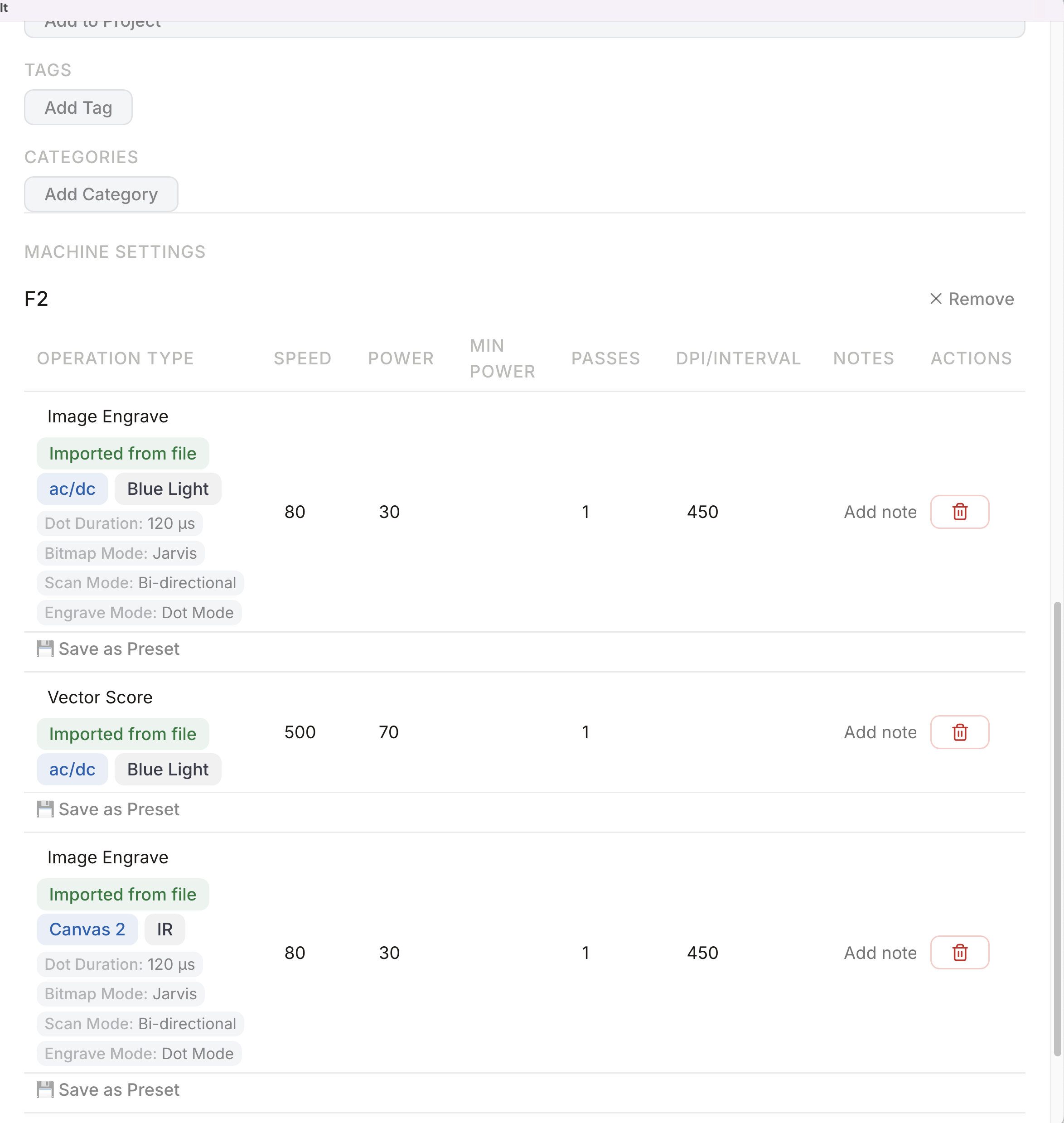
Use the preview and file type to narrow the library quickly.
Review available tags, materials, machines, settings, and notes.
Open the original project from the location you already control.
Files and locations
Support depth can vary by file type and application version.
Explore File PreviewsCutVault is designed around common laser and maker assets, including LightBurn, xTool XCS, SVG, DXF, ZIP, PNG, JPG, WebP, HEIC, and TIFF where supported by the current application.
Frequently asked questions
No. CutVault indexes supported files where they already live and does not require a new folder structure.
Yes. You can include supported folders on attached external drives and search them from the same library.
Local drives, external drives, and locally synchronized storage. The selected locations must be available to the computer running CutVault.
CutVault supports previews and metadata for several maker formats, including LightBurn, xTool XCS, SVG, DXF, ZIP, and common image formats. Exact support may vary by version.
No. CutVault is a desktop maker library and workflow layer for files stored in locations you control.
The current CutVault offer covers up to three computers and includes Windows and Mac.
Back to making.
Turn the files you already have into a searchable visual production history—without moving or uploading the originals.
Start Your Free 7-Day TrialStart here
Full access to CutVault Pro for seven days. No credit card required, and your original files stay exactly where they are.