01
Related asset grouping
Bring the files that belong to one project into the same bundle context.
CutVault Bundle Builder
Group the related assets behind a project, prepare them as a bundle, and keep the finished work easier to find and reuse.
Keep the whole project connected
The design, images, notes, and supporting assets all matter when you return to the work.
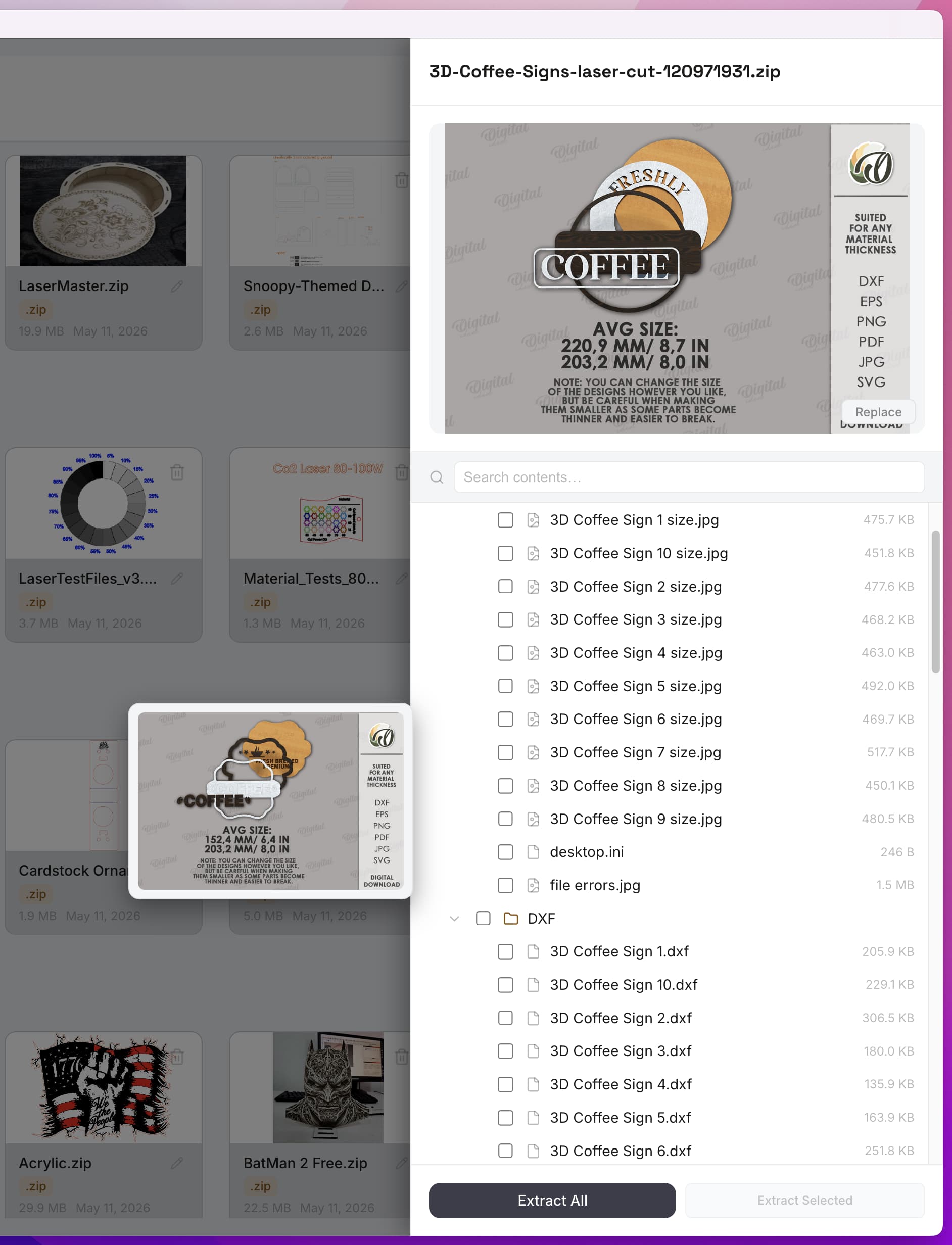
Bundle Builder gives related project assets a shared place in your CutVault workflow. Instead of reconstructing a finished job from scattered files, you can prepare a bundle around the work you want to keep using.
That makes the completed project easier to recognize later and keeps its useful files connected without changing CutVault's role as a maker-library and workflow layer.
Built for project reuse
Create a clearer path from completed work to the next time you need it.
Bring the files that belong to one project into the same bundle context.
Prepare a collected set of project assets after the work is complete.
Use available previews to recognize the files included with the project.
Return to bundled project files when you want to make from completed work again.
A repeatable workflow
Keep the useful parts of a project connected after production is finished.
Collect the related design and supporting files that belong with the finished work.
Review the collected assets and prepare them as one organized project bundle.
Return to the finished project in CutVault when you are ready to use those files again.
Inside a bundle
Browse the available files and previews together so the finished project is easier to understand when you return to it.
See the assets included with the project in one bundle view.
Use available previews and filenames to identify what you need.
Keep the completed project's files ready for a future reuse workflow.
Frequently asked questions
Bundle Builder is for grouping related project assets, preparing them as a bundle, and making finished project files easier to return to and reuse.
You can group the related design and supporting assets that make up the project. What CutVault can preview or read depends on the file format and the current application version.
Yes. A bundle keeps related project files together so you can find the completed work and return to its useful assets later.
No. CutVault is a desktop maker-library and workflow layer for files stored in locations you control.
CutVault offers a 7-day full-feature trial — no credit card required. The current price is $169 one time — no subscription.
Back to making.
Group the assets that belong together, prepare the bundle, and keep completed work ready for the next time you need it.
Start Your Free 7-Day TrialStart here
Full access to CutVault Pro for seven days. No credit card required, and your original files stay exactly where they are.