
See inside every design bundle without unzipping it.
ZIP files in your library folders get their own Zip Files view. Browse the folders and files inside, preview supported designs and images, search the contents by file or folder name, and extract everything or only what you need.
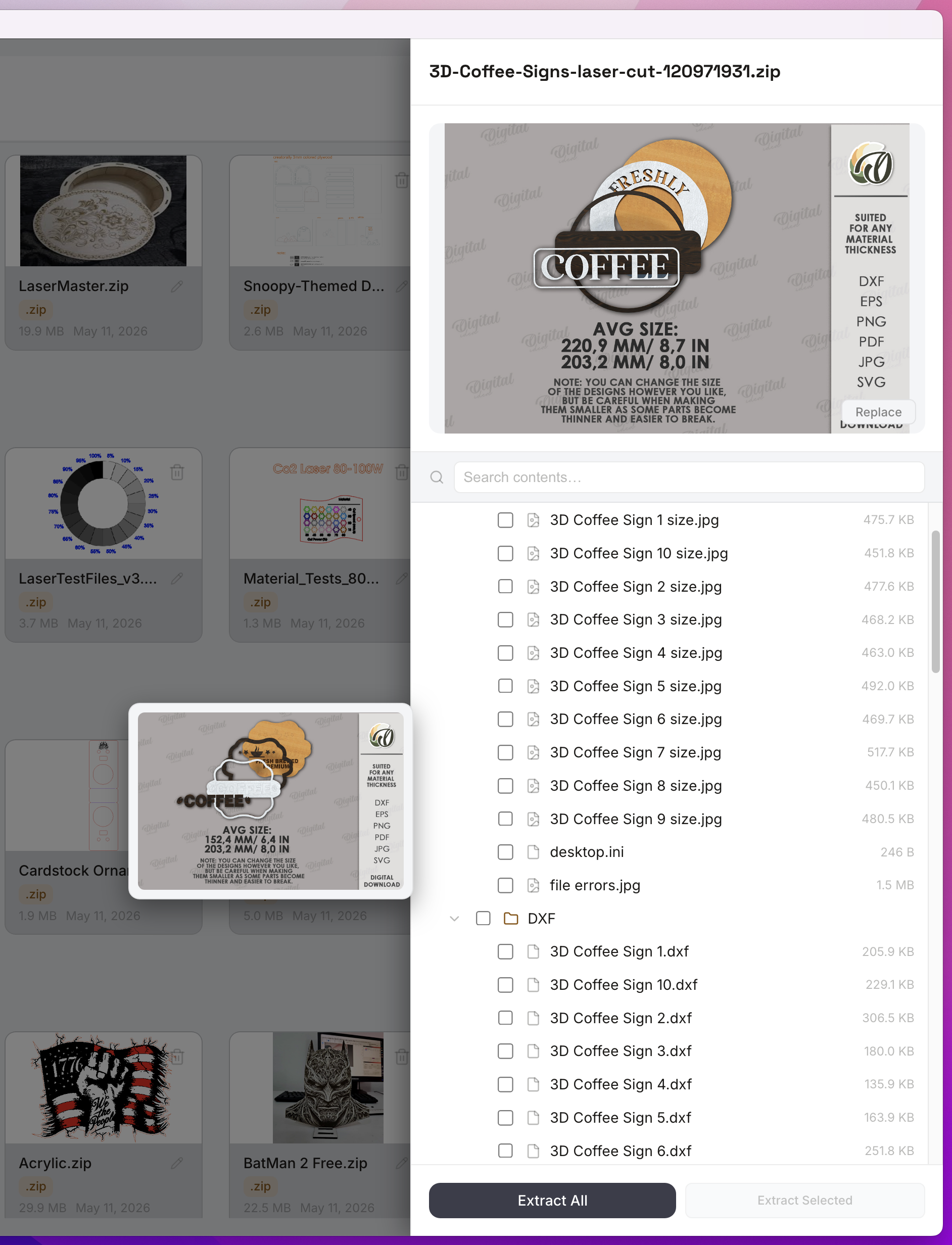
From unzipping to see what you bought to seeing it first.
A downloaded bundle shows nothing until you unzip it, and unzipping everything leaves folders you never meant to keep.
Without CutVault
With CutVault Pro
Every bundle gets its own cover.
Zip Files lists every ZIP in your library folders with a cover image, size and date, in grid or list view. Search by ZIP name, or give any bundle a cover image of your own.
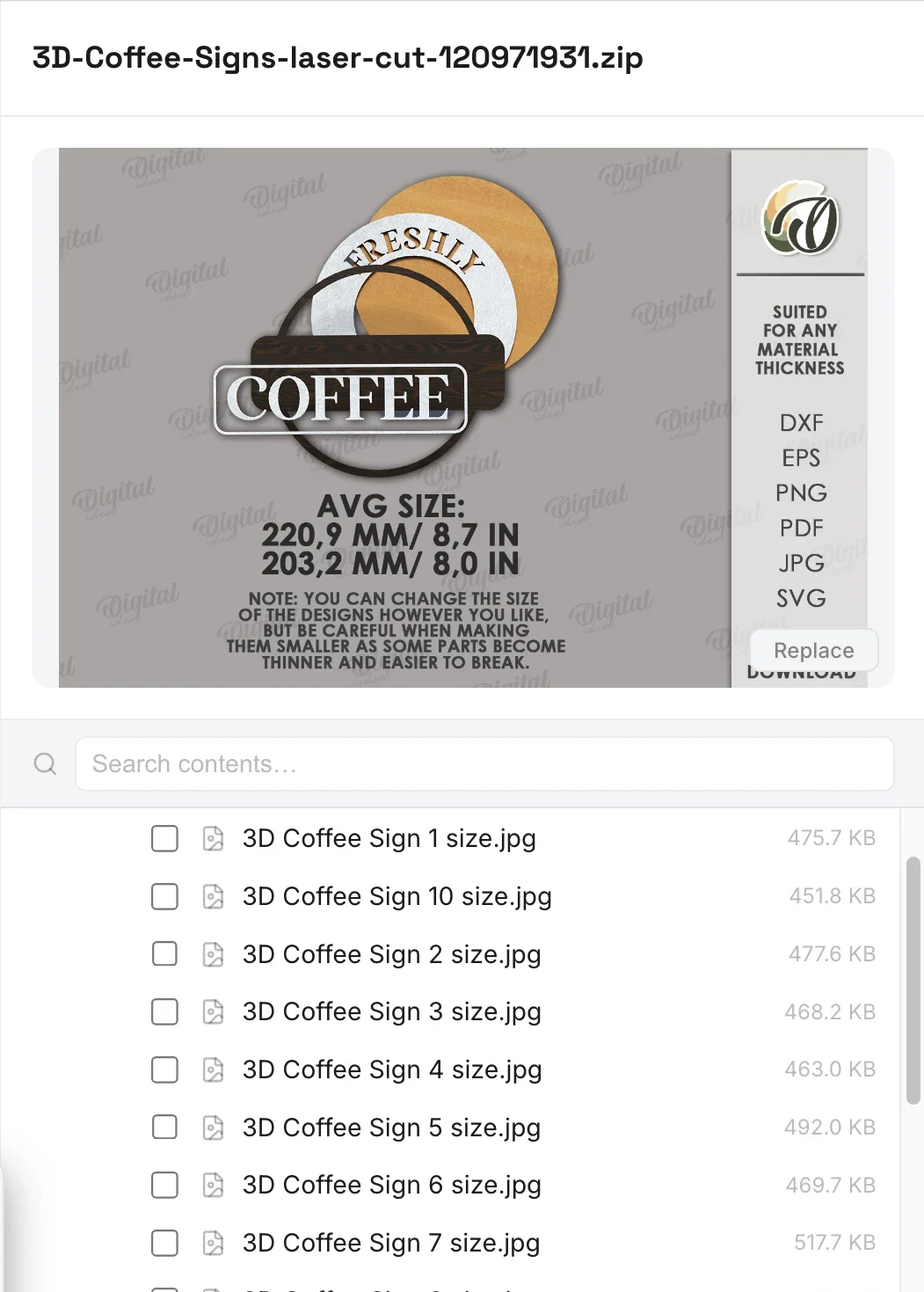
Browse the contents without unzipping everything.
Open a ZIP to see its folder tree and file sizes, and preview supported files before you extract anything: LightBurn, xTool Creative Space and xTool Studio projects, SVG, DXF and images. Search the contents by file or folder name.
Look inside ZIPs inside ZIPs.
Open a ZIP inside a ZIP without unzipping either one. Breadcrumbs show where you are, previews work inside nested ZIPs too, and when you do unzip, you can take everything or only the files and folders you want.
Extract only what you need
- DXF
- ✓Coffee Sign 1.dxf
- Coffee Sign 2.dxf
- SVG
- ✓Coffee Sign 1.svg
- preview.jpg
- ✓README.txt
Kept together beside the ZIP
- Coffee Sign 1.dxf
- Coffee Sign 1.svg
- README.txt
Already there? CutVault asks before replacing anything.
Extract everything, or only what you need.
Extract the whole bundle, or tick only the files and folders you need. They land in a folder beside the ZIP, CutVault asks before replacing anything already there, and extracted designs join your library on their own.
StandoutAsks before replacingNothing already on your drive is replaced unless you say so.
Keep bundles organized without unpacking them first.
Tag a ZIP, rename it, give it a cover, or remove it to Trash and restore it later. Bundles you make in Bundle Builder appear here too.
More ways Zip Files helps.
Smaller tools around your design bundles.
New ZIPs appear on their own
Save a ZIP into a library folder and it shows up in Zip Files.
Show in Finder or Explorer
Jump to the ZIP on your drive, or copy its location.
Extract finished
After an extract, a short summary shows what happened to your files.
Bulk Select
Select several ZIPs and remove them to Trash in one go.
Contents as they are
See the contents of the ZIP as they are, then extract only what you need.
Bundle Builder Zips tab
ZIPs you build for your shop have the same contents panel and extract buttons.
List view
Name, type, size and date in columns.
Keyboard navigation
Close the panel or step back out of a nested ZIP without reaching for the mouse.
Open with the system app
Open the ZIP itself in whatever your computer uses for ZIP files.
Works with these features.
Go deeper into the CutVault tools that work with your bundles.
Library & Search
Every supported design as a thumbnail, searchable across your folders and drives.
Open Library & Search →Bundle Builder
Pick designs and formats and get one ZIP ready for your shop listing.
Open Bundle Builder →Build from Folders
Turn the folders you already sorted into categories, with tags and bulk actions.
Open Build from Folders →Duplicates
Find identical copies across every folder and keep one.
Open Duplicates →Settings
See speed, power, passes and layers from supported LightBurn and xTool projects.
Open Settings →Back to overview
See how Zip Files fits into the rest of CutVault Pro.
Homepage →Questions about Zip Files.
One time · No subscription
- 7-day free trialNo credit card
- Mac + WindowsUp to 3 computers
- UpdatesFree updates included
01Does CutVault unzip my downloads on its own?
Never. You choose when to extract, and whether to extract everything or only the files you ticked.
02Where do extracted files go?
Into a new folder next to the ZIP. Extracted designs then appear in your library on their own.
03Will it overwrite files I already have?
No. If a file is already there, CutVault asks before replacing it, and your existing files stay as they are unless you choose otherwise.
04Can I search for a design inside a ZIP from All Files?
Files inside a ZIP are not in All Files until you extract them. Inside a ZIP you search by file and folder name.
05Does it open RAR or 7z files?
No. ZIP only.
06Can I open a design straight from inside the ZIP?
You can preview it inside the ZIP. To open it in LightBurn, xTool software or another app, extract it first.
07Do settings show for a LightBurn file inside a ZIP?
You get the preview inside the ZIP. Settings show once the file is extracted into your library.
08Is Zip Files sold separately?
No. Zip Files is included with CutVault Pro. The $169 one-time price is for the complete CutVault desktop app.
Open the bundle. Keep only what you need.
Try CutVault Pro free for 7 days with the bundles you already own, see what is inside each one, and extract only the files you need.
One-time purchase
CutVault Pro is $169 once. No subscription. Use it on up to 3 computers.
- 7-day free trial · No credit card