
Turn the folders you already sorted into categories, without moving a file.
Choose the folders, preview exactly what CutVault will create, then apply the structure as categories. Your files stay where they are. From there, categories, tags and bulk actions let you organize beyond what folders alone can do.
This page also covers Categories, Tags and bulk organization.
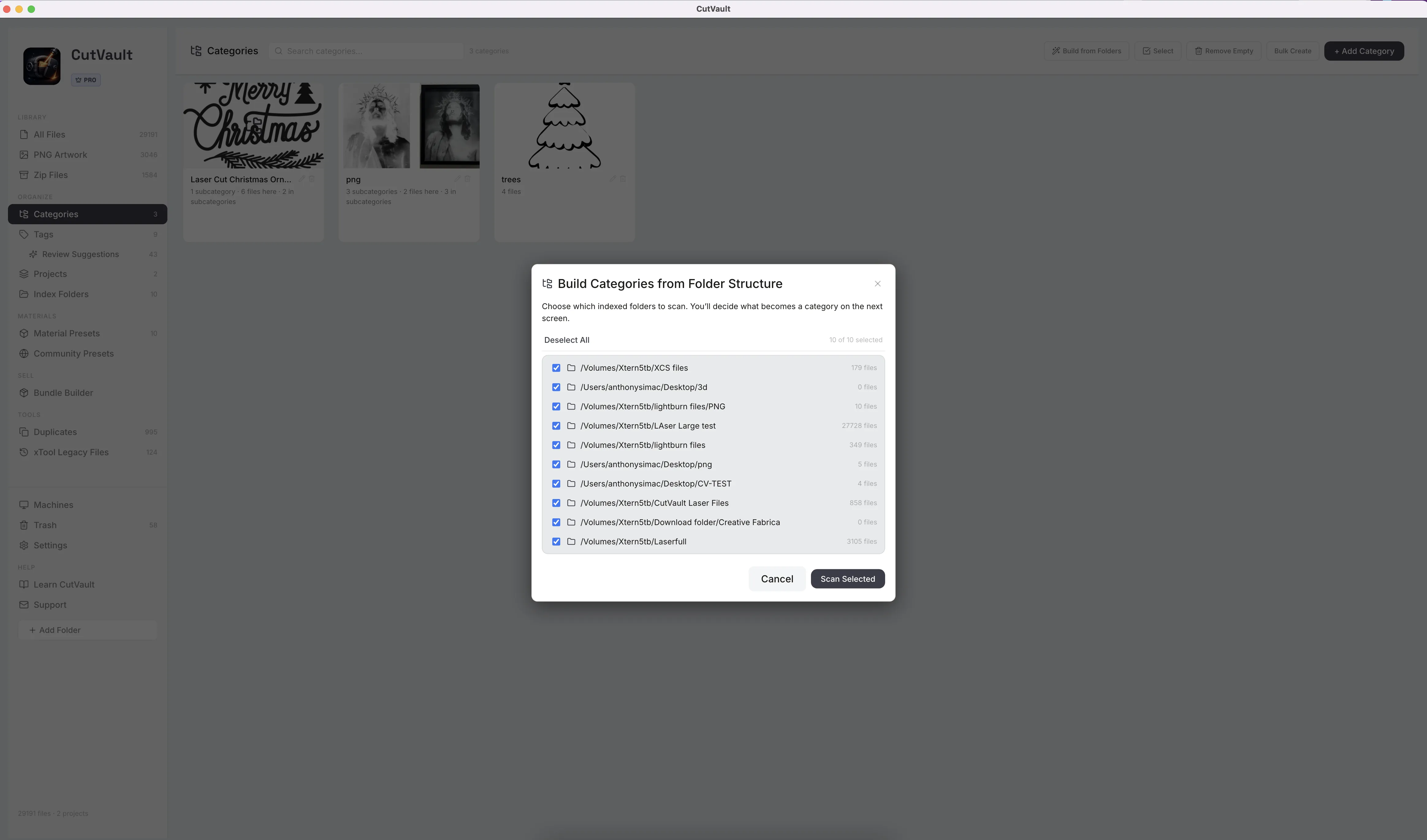
From years of folder sorting to categories that go further.
A folder can hold a design in one place only, and re-sorting thousands of files by hand is where organizing stops.
Without CutVault
With CutVault Pro
Preview: folders to categories
- Laser Filesyour library folder
- ✓Halloween
- ✓Skulls
- ✓Tumblers
- ✓Yoga
- Exportsnot used
- Halloween
- Skulls
- Tumblers
- Yoga
2 categories at the top level, 2 nested inside them. Your files stay where they are.
Preview the organization before anything changes.
Choose which folders should become categories and review the proposed structure and file totals before applying it. If CutVault finds something that needs your attention, you decide how to handle it before continuing.
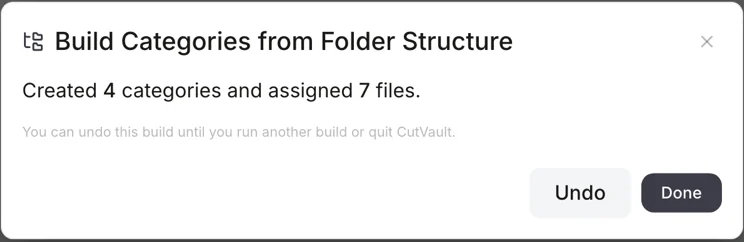
Undo it, or run it again later.
Changed your mind? Undo the most recent build and return to the organization you had before. Run Build from Folders again later as your library grows.
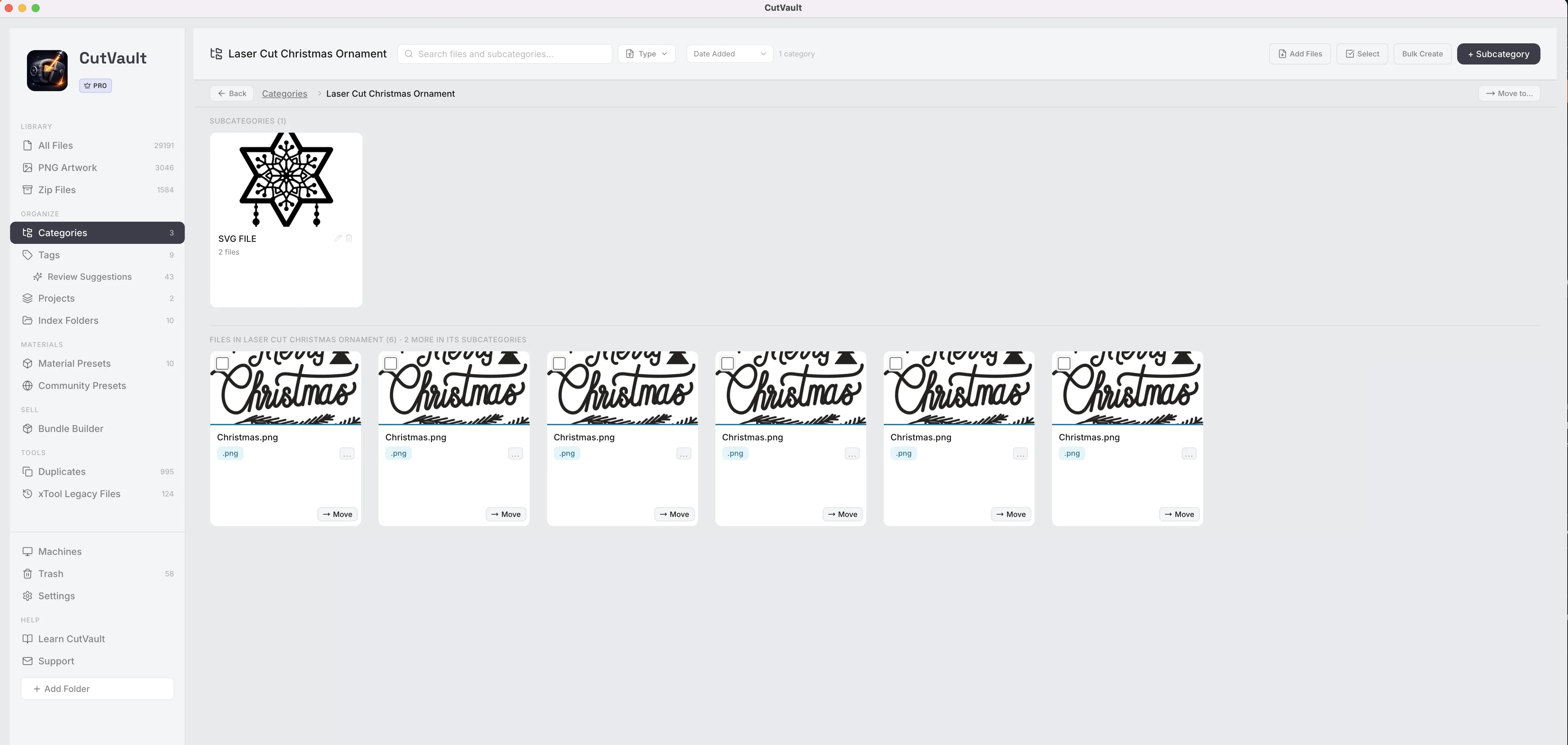
Categories can do what folders cannot.
One design can sit in several categories. Nest categories as deep as you like and give each one a cover. Move a category with everything in it, merge one into another, or clear out empty ones, with undo if you change your mind. Deleting a category never deletes files.
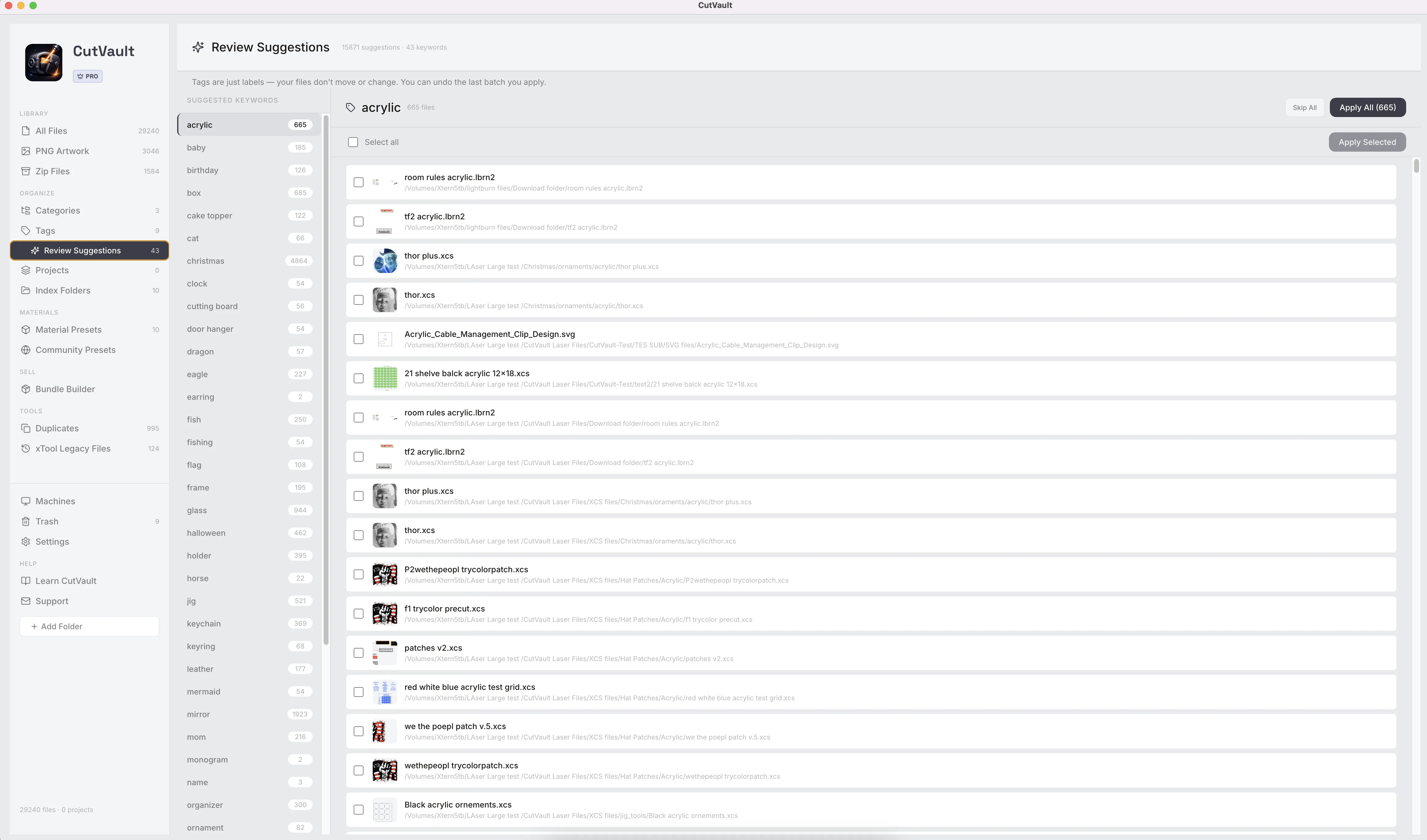
Tags you approve, across the library.
CutVault can suggest useful tags for your files, but nothing is applied automatically. Review the suggestions, choose the files you want, and apply tags in batches.
StandoutSuggest, approve, applyReview a suggested tag, choose the files, apply it in one batch, with Undo.
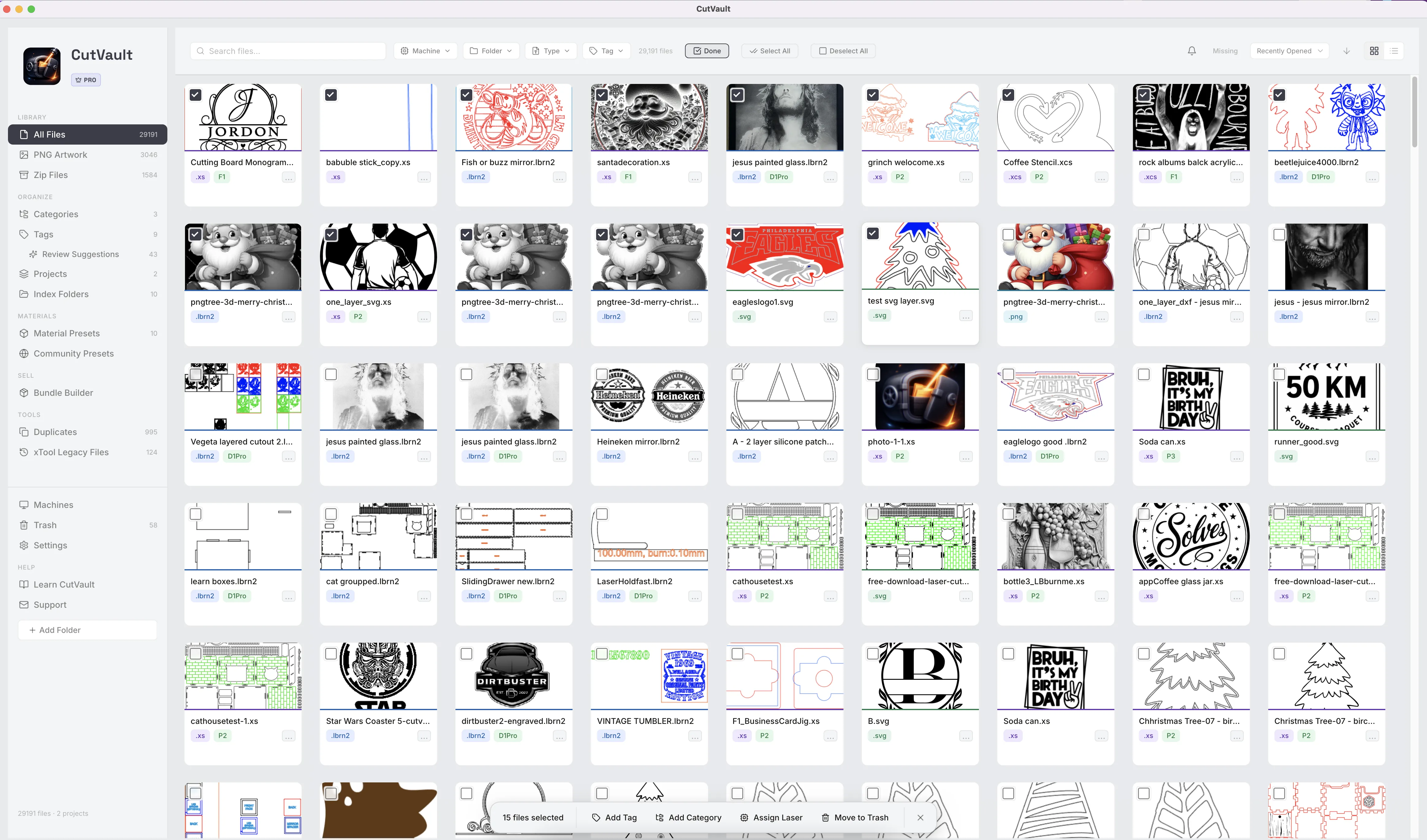
Organize hundreds of files at once.
Select many files and organize them together instead of repeating the same change one file at a time.
More ways to organize beyond folders.
Smaller tools around categories, tags and selections.
Category covers
Give each category a cover image so you can spot it at a glance.
Nested categories
Step into categories within categories and jump back up to any level, with file counts on every card.
Tag filters
Narrow your library to one tag, with a file count on every option.
Bulk organization
Select several categories to move or delete them together instead of one at a time.
Unused tag cleanup
Clear out tags that no longer belong to any file.
Trash and restore
A deleted category or tag comes back from Trash with its files.
Works with these features.
Go deeper into the CutVault tools that build on your categories and tags.
Library & Search
Every supported design as a thumbnail, with filters by machine, folder, type and tag.
Open Library & Search →Finished Photos
Add a photo of the finished piece and see it on the design’s card.
Open Finished Photos →Projects
Keep the designs, finished photos and assets for one job or order together.
Open Projects →Bulk Actions
Tag, categorize, assign a machine or trash hundreds of designs in one action.
Open Bulk Actions →Machines
Each machine with its own files, settings and service history.
Open Machines →Back to overview
See how Build from Folders fits into the rest of CutVault Pro.
Homepage →Questions about Build from Folders.
One time · No subscription
- 7-day free trialNo credit card
- Mac + WindowsUp to 3 computers
- UpdatesFree updates included
01Does Build from Folders move my files?
No. It only creates categories inside CutVault. Nothing on your drive is moved, renamed or changed.
02What if a category already exists?
CutVault lets you review the conflict and choose how you want to handle it before the build continues.
03Can I undo it?
Yes. You can undo your most recent build and return to the organization you had before. Your files are never touched.
04Do my folders go away?
No. Your folders stay as they are. Categories sit on top of them.
05Does CutVault tag files on its own?
No. It suggests tags, and nothing is applied until you approve it, one file at a time or in a batch you can undo.
06How is a category different from a folder?
A design can be in several categories at once, which a folder cannot do. Deleting a category never deletes the files.
07Is Build from Folders sold separately?
No. Build from Folders, Categories and Tags are included with CutVault Pro. The $169 one-time price is for the complete CutVault desktop app.
Keep the sorting you did. Go further with it.
Try CutVault Pro free for 7 days on the folders you already have, preview the categories first, and tag hundreds of files once you approve.
One-time purchase
CutVault Pro is $169 once. No subscription. Use it on up to 3 computers.
- 7-day free trial · No credit card